Capture first. Refine later.
Pause when needed, trim the edges, name the recording, and complete it. The original is preserved before processing begins.
Record→Trim→Archive
 REDREC
Private, on-device audio workspace
Record once. REDREC preserves the original, prepares clearer audio, and turns the conversation into text you can read by speaker.
One recording, useful results
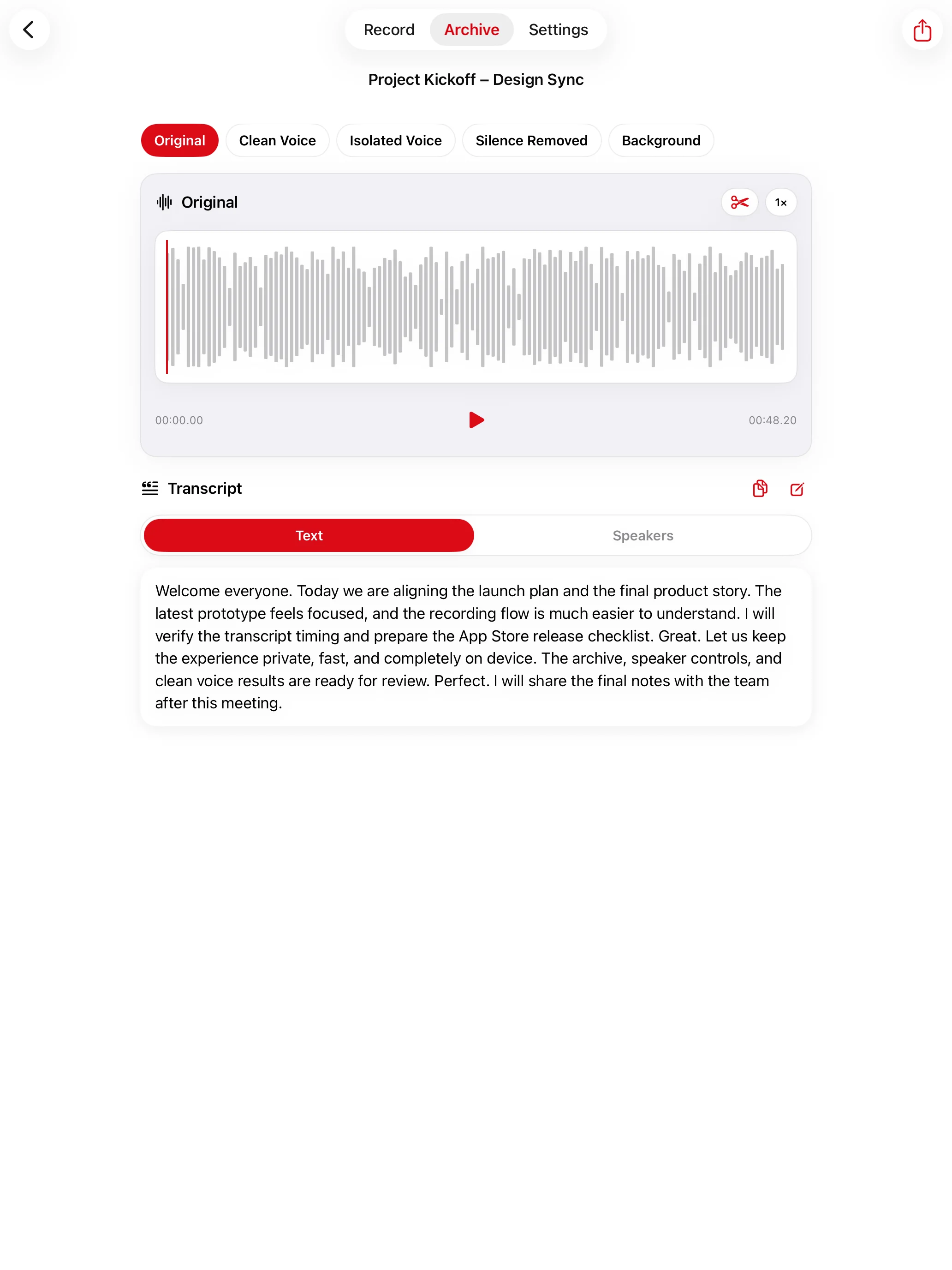
REDREC keeps each result clearly labeled, so you always know what you are hearing.
Pause when needed, trim the edges, name the recording, and complete it. The original is preserved before processing begins.
Clean Voice reduces noise and makes speech easier to hear.
Listen to the isolated voice or the separated background layer.
Silence Removed keeps clean speech while removing long non-voice gaps.
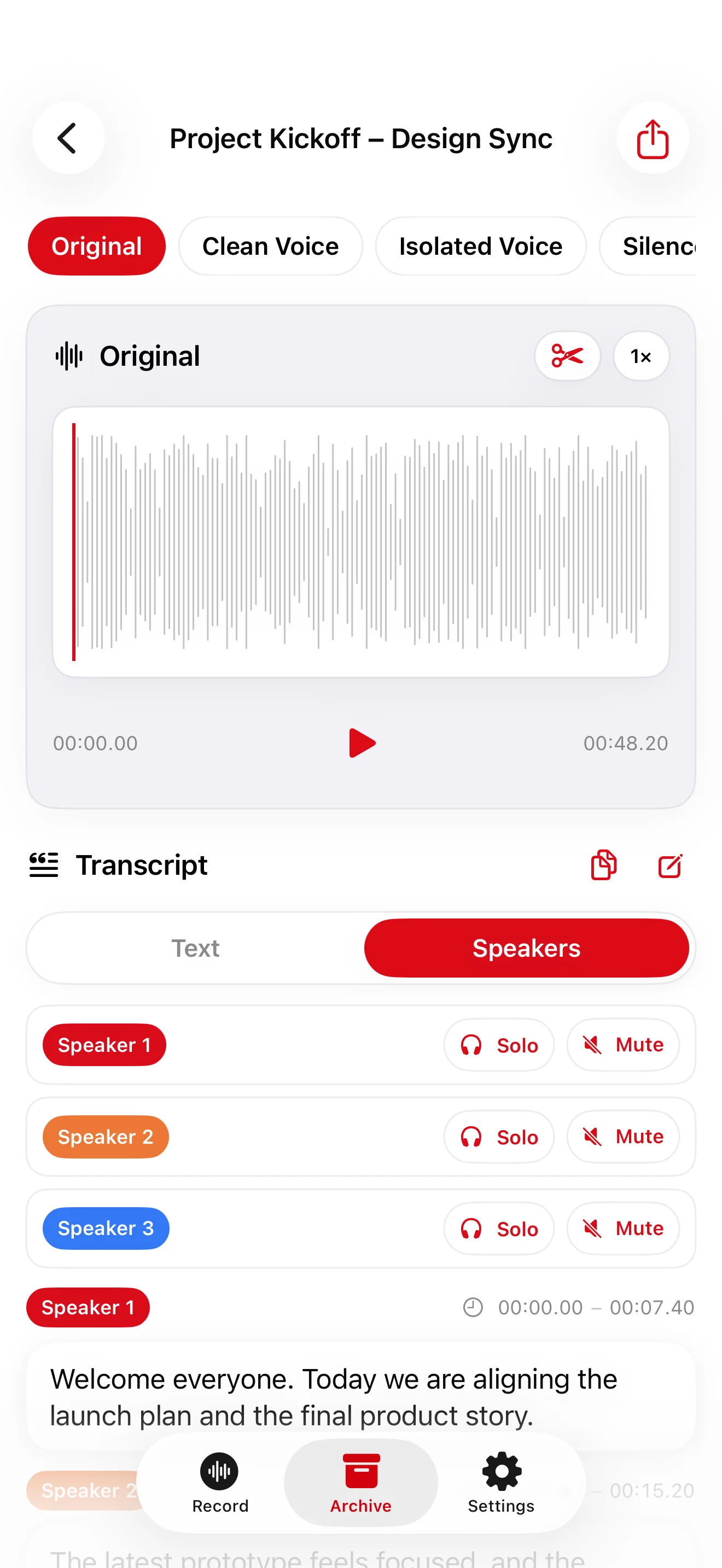
Switch between one continuous transcript and a color-coded conversation view.
Explore transcript modes →Five ways to listen
Move between results without duplicating projects or losing the source recording.
Transcript, your way
Text view keeps the transcript simple and continuous. Speakers view separates each turn with a name, color, and exact time range.
Color-coded cards keep each speaker and sentence easy to scan.
Playback jumps to the matching time and stops at the end of the segment.
Focus on one voice, skip multiple muted speakers, correct text, and share only what you need.


Focused playback
Mute one or several speakers. During full playback, REDREC automatically skips their time ranges and continues with the next audible speaker.
Precise, without the friction
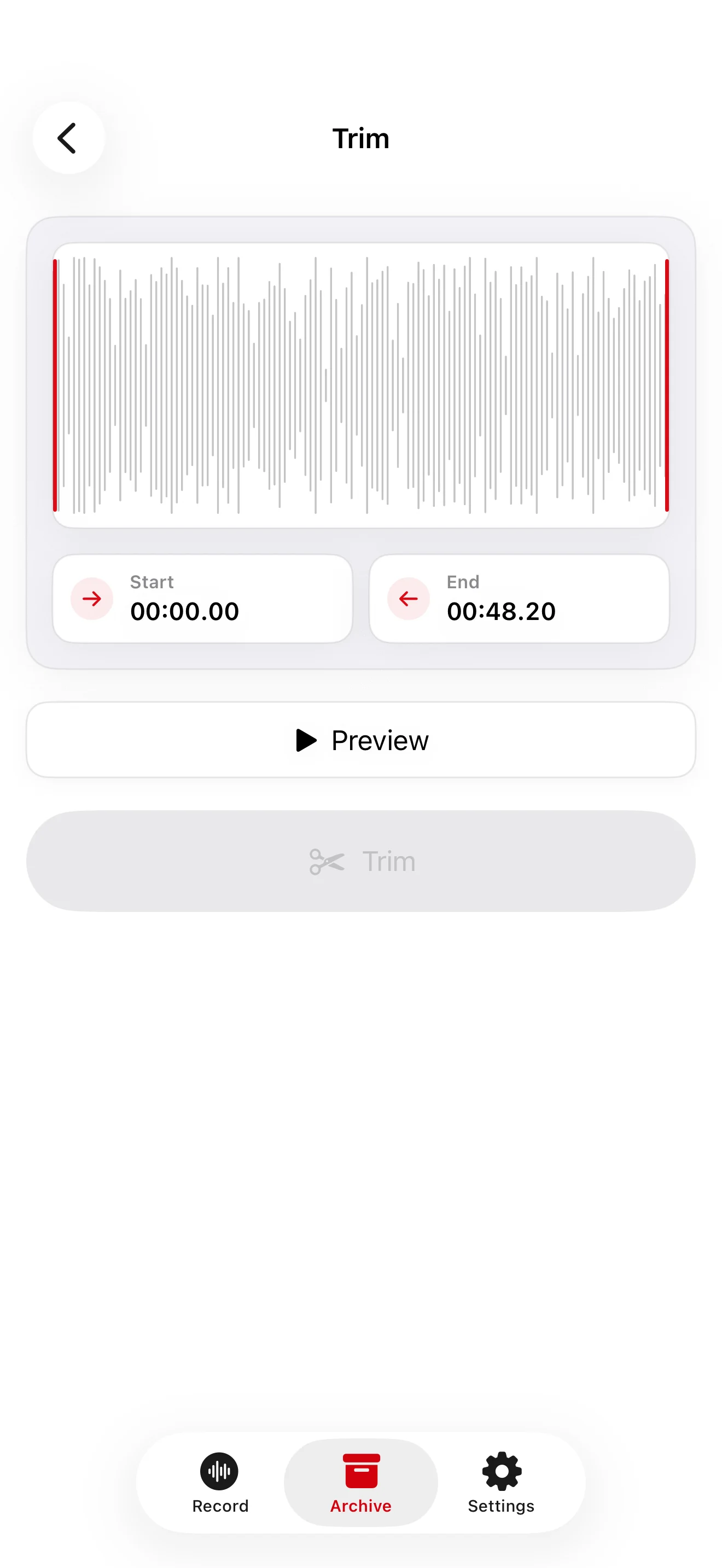
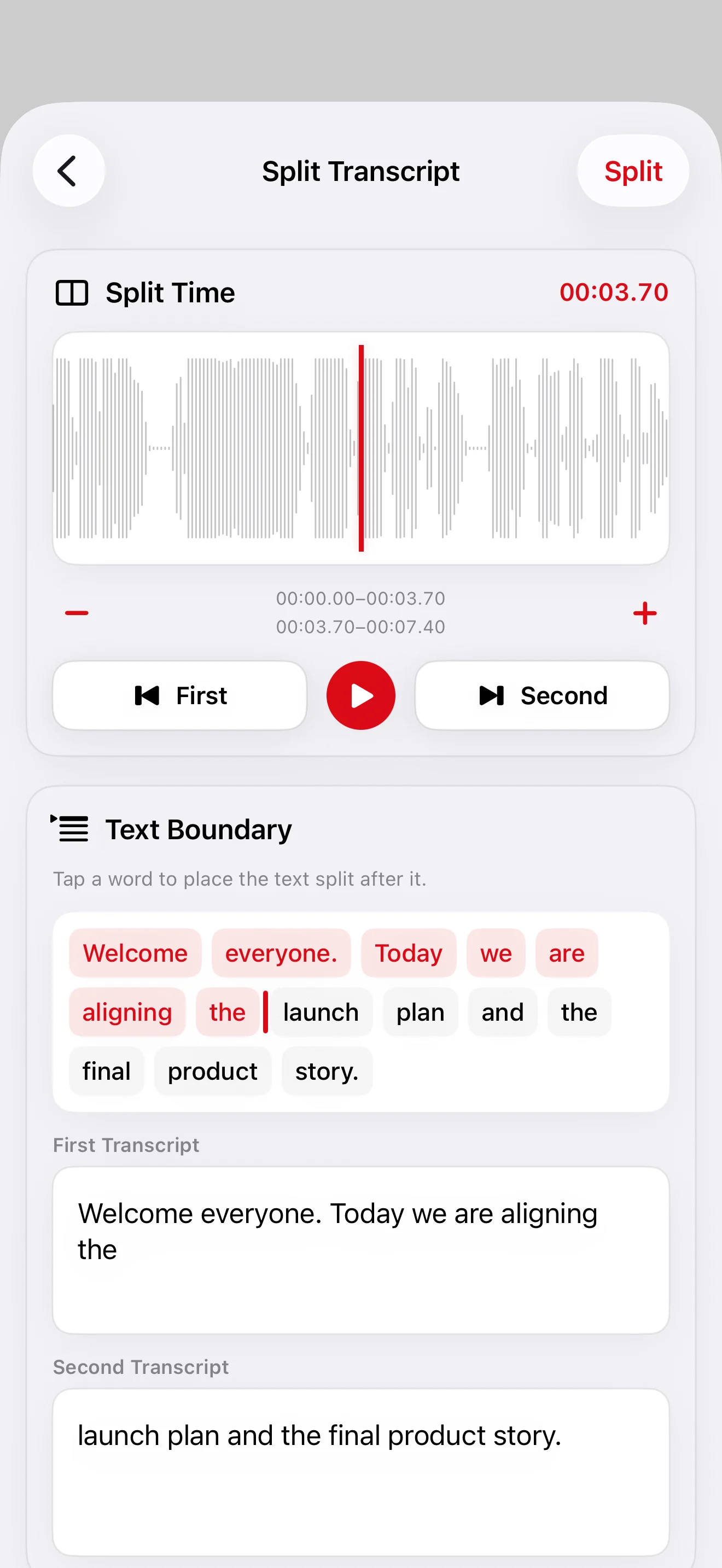
Drag the waveform bars to trim a recording, or split one transcript segment at the exact moment the speaker changes.
The real app


Private by design
The models REDREC needs are included with the app. Recording, audio processing, transcription, and speaker features run on your device—without an account or a separate model download.
Read the Privacy Policy →
REDREC for iPhone and iPad
Coming soon to the App Store.
Contact PixelBrick